How to read a cohort chart
The 3 key reads of a cohort chart — horizontal, vertical and diagonal — so you do not miss any insight about your users' retention.
Learn the 3 key reads so you don't miss any insight
Before we start, if you need help measuring your users' retention, write to me at guido@bildungdata.com
Cohort charts hold very valuable insights about our users, but to actually access them you need to know how to read them.
There are 3 reads that have always helped me pull actionable insights:
1) Horizontal line
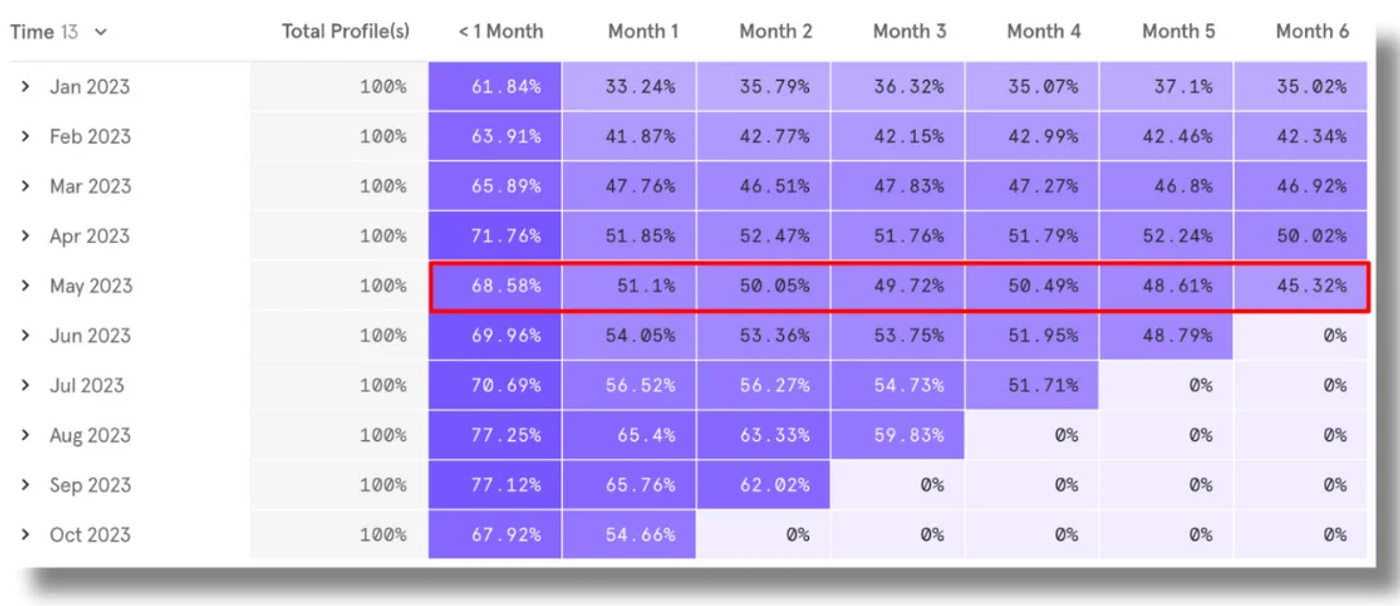
👉 What it tells us:
- How retention evolves for each cohort.
- If we are looking at monthly retention, then we see how we retain — month by month — the users we acquired in each month.
🧰 Useful use cases:
i) analyze the impact of a new app version. If you launch a new version in May, it's important to measure how retention looks for the users who installed in May (and compare it vs previous months).
ii) identify potential user acquisition issues. If you acquired low-quality users in a given month, they'll have worse M1, M2 retention than the rest of the cohorts.
2) Vertical line
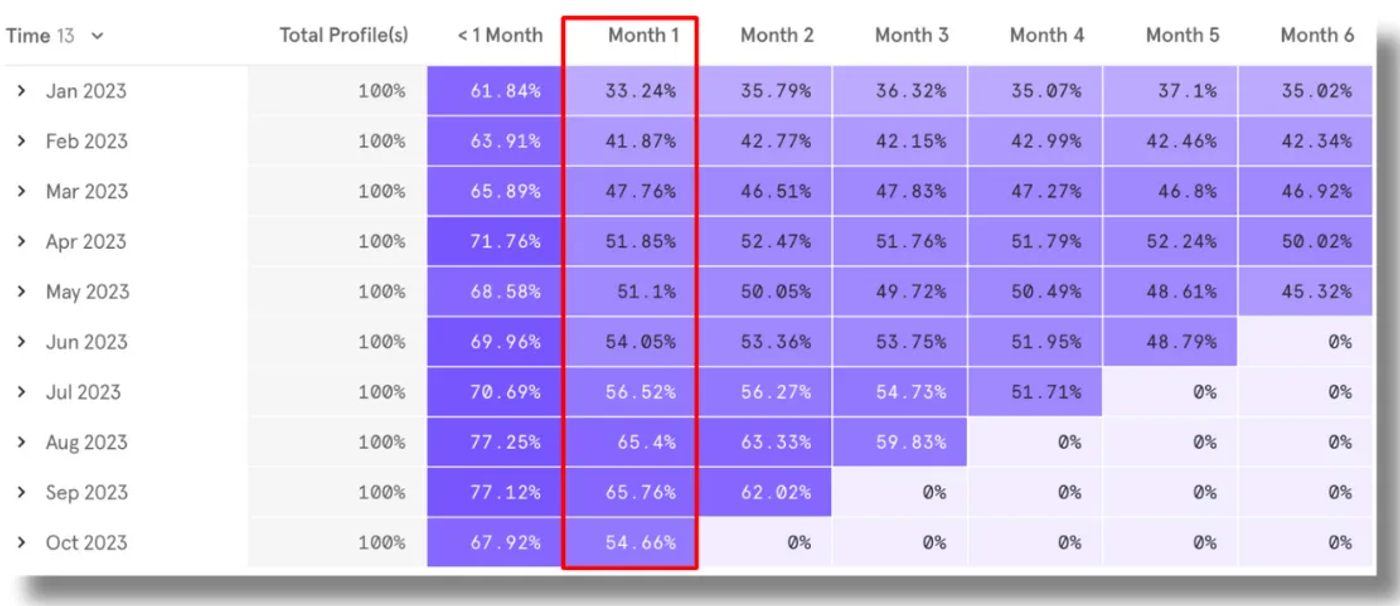
👉 What it tells us:
- For each cohort, it lets us see how user retention behaves along the journey.
- For example, the first column shows month-1 retention across all cohorts, the second shows month-2 retention, and so on.
🧰 Useful use cases:
i) measure the impact of specific campaigns or features that hit users at certain moments of their lifecycle.
ii) for example, if you have push campaigns targeted at users from previous months, you'll be able to see their impact by analyzing whether M2, M3, etc. retention changes.
3) Diagonal line
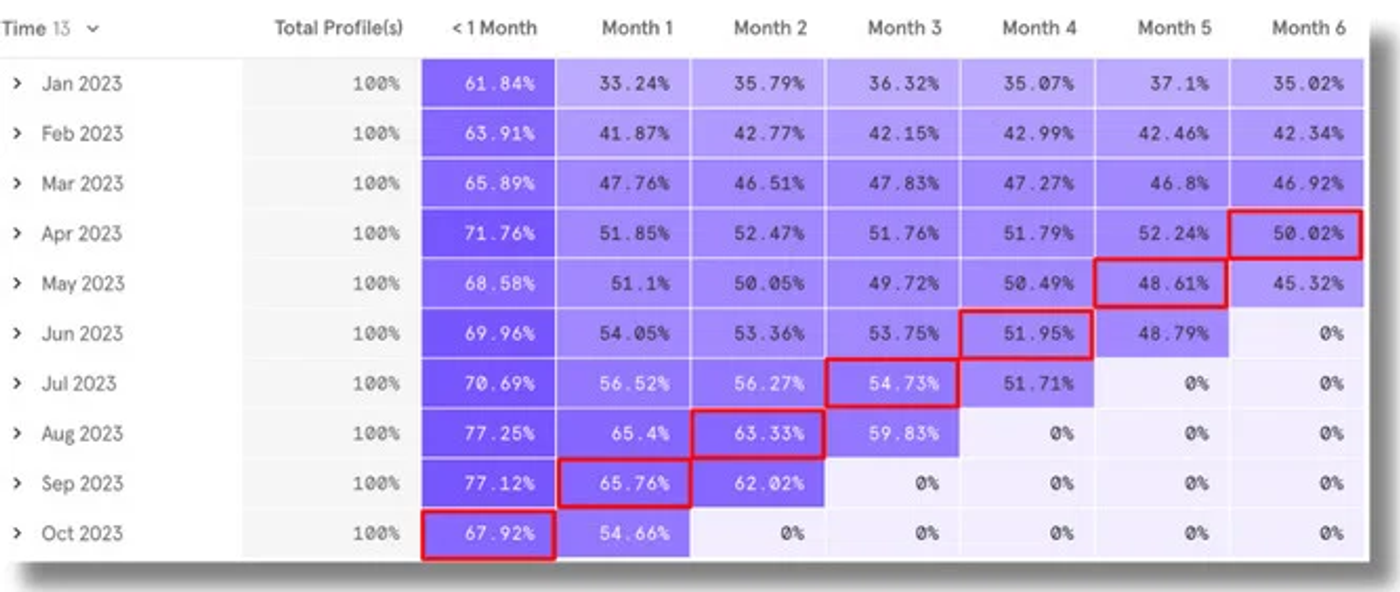
👉 What it tells us:
- Looking at the diagonal we stand at the same point in time across all cohorts, and we can see whether something generalized hit everyone.
- For example, if we look at May's diagonal, we are looking — at the same time:
→ Users who installed in May
→ Of the users who installed in April → those who came back in May (M1 retention)
→ Of the users who installed in March → those who came back in May (their M2 retention)…
…and so on for each one
🧰 Useful use cases:
i) identify generalized issues that impacted all users at a given moment.
ii) for example, if the app had a major outage in May, or if push / email campaigns stopped for some reason, you'll likely see all the retentions on the diagonal impacted.